Track Every Recce Data Review Run with Checklist Status in Your PR
Track Every Recce Data Review Run Directly in Your PR
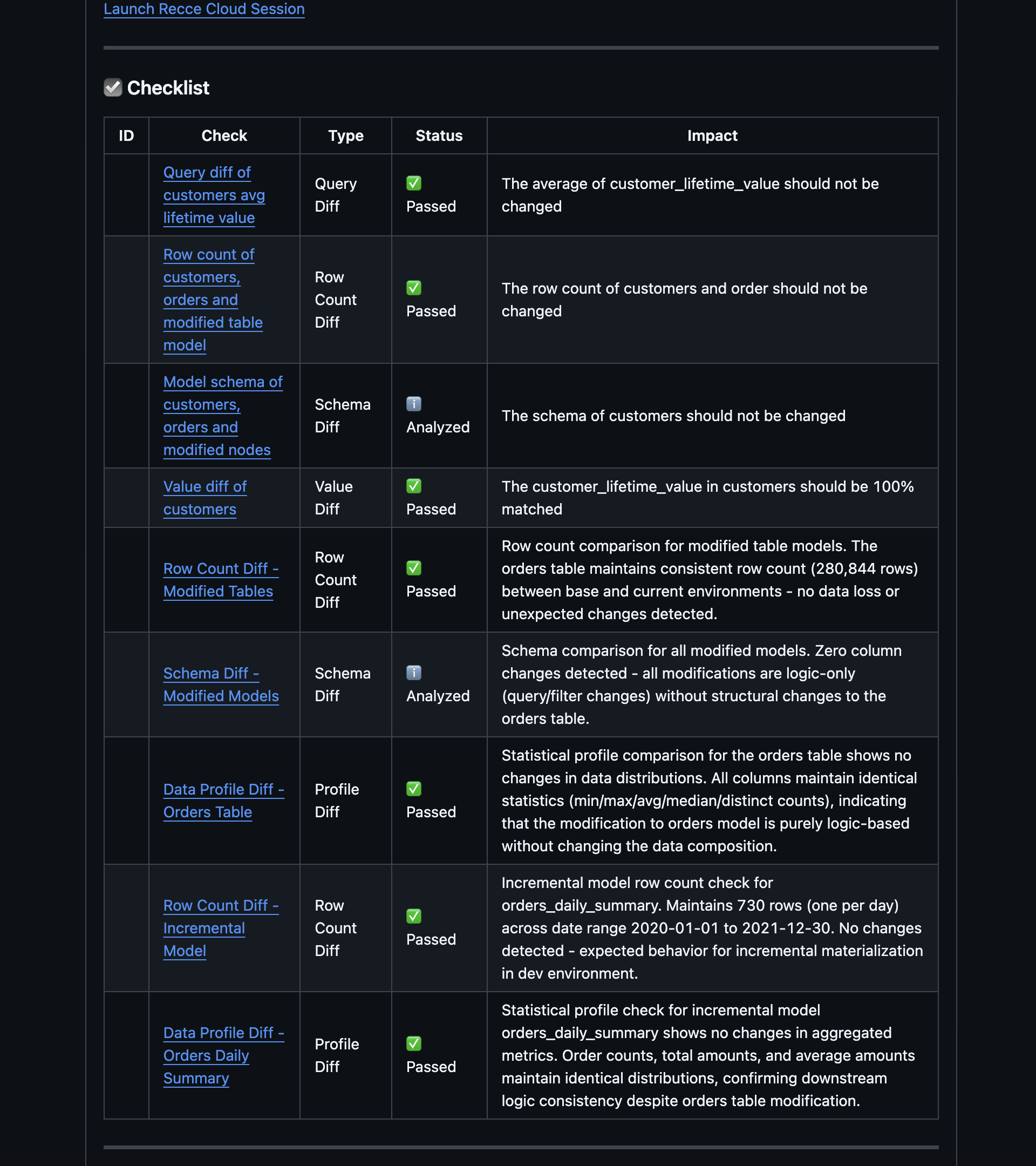
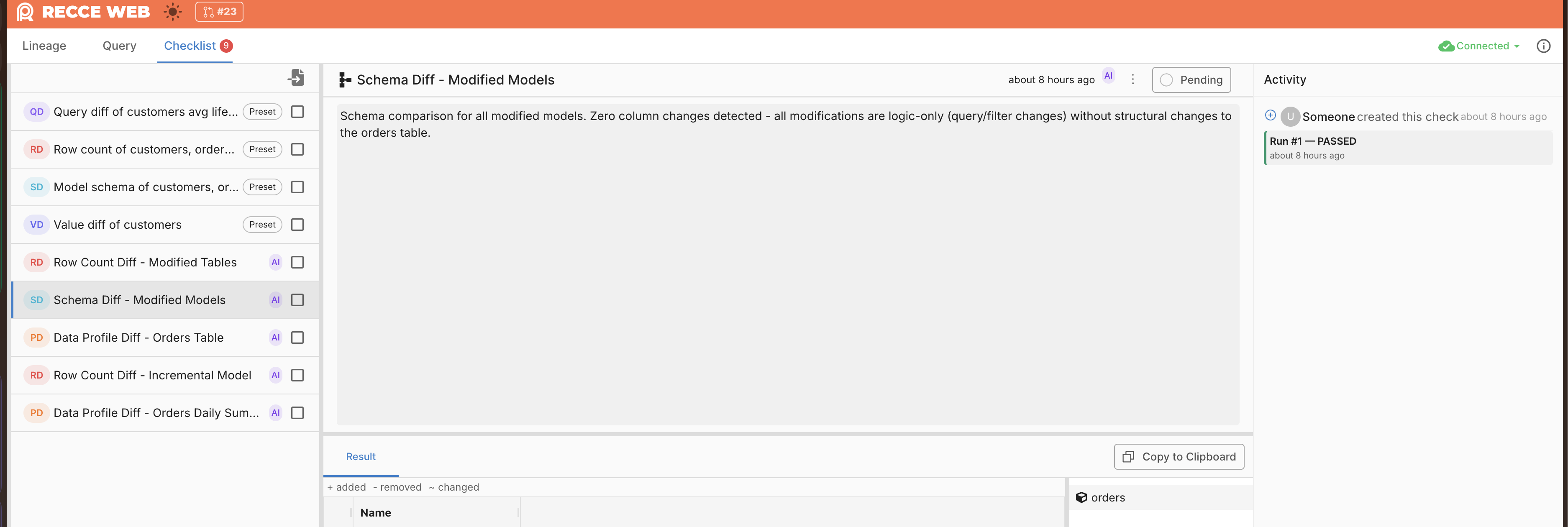
Recce Data Review results in PR comments previously had no per-check status or run attribution. Reviewers could not tell which checks passed or failed at a glance, or trace a result back to a specific run.
PR comments now show a structured checklist where each check displays its status — Passed, Failed, Analyzed, or Pending. Each item links to the full run history in Recce Cloud. The Activity panel tracks every run with attribution (user or AI), giving teams a complete audit trail across CI cycles.
Fewer False Positives in Recce Data Review
Recce Data Review sometimes flagged schema or lineage changes that had no actual data impact, creating noise for reviewers who then learned to ignore findings.
The analysis prompt now includes guardrails that filter out changes unlikely to affect data. Reviewers see fewer irrelevant findings, which keeps the signal-to-noise ratio high and maintains trust in Recce Data Review.
Faster CLI Startup
Running any recce command incurred a multi-second delay because the CLI loaded all dependencies at startup, even for simple operations like recce version.
Commands that do not require the full stack now start significantly faster, which reduces friction in scripted workflows and CI pipelines.
Lineage Viewport Fits Large Graphs on Load
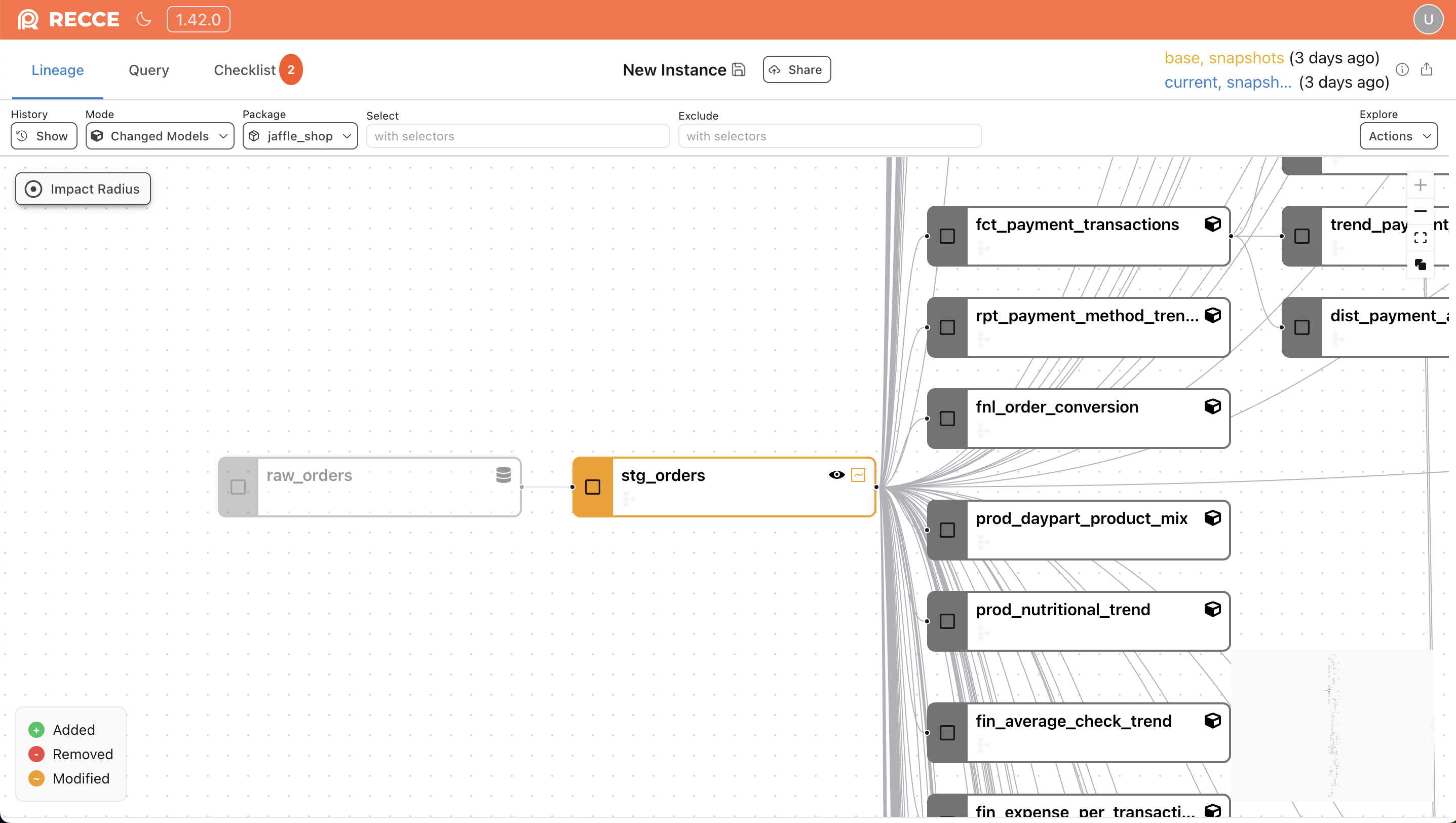
Opening a lineage diff for a large project showed the entire graph at maximum zoom-out, making individual nodes too small to read. Users had to manually zoom and pan to find the relevant area.
The initial viewport now calculates a zoom level that keeps nodes legible while showing the most relevant portion of the graph. Large projects are readable on first load without manual adjustment.
Exports Go Beyond the Preview Limit
Exporting query results was capped at the 2,000-row preview limit, which truncated large datasets and forced workarounds.
Exports are no longer capped at the 2,000-row preview limit — CSV and TSV support up to 500K rows, and Excel up to 100K. Download buttons show the total row count, and large exports trigger a confirmation dialog before starting.
Python 3.9 Support Dropped
Recce no longer supports Python 3.9, which reached end-of-life in October 2025. If you are still on Python 3.9, upgrade to Python 3.10 or later before updating Recce.