See column distribution changes without leaving the diff
See column distribution changes without leaving the diff
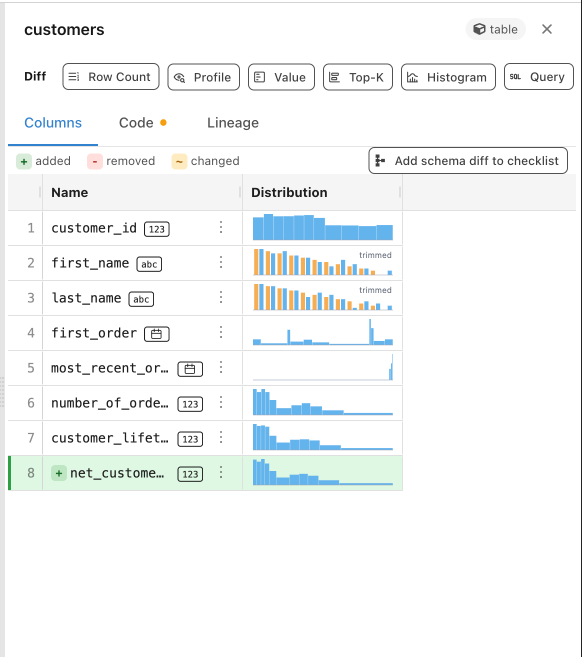
Checking whether a column’s values shifted between two runs meant leaving the schema diff, opening a profile, and reading two distributions side by side in your head.
An opt-in beta now adds a Distribution column to the schema diff. Turn it on with --inline-profile, which also enables the new column-level lineage experience. Paired before/after histograms then render on the columns a change touched, and a “Profile all columns” button widens to the rest. This first cut covers DuckDB projects; other warehouses show an unsupported notice. Each histogram shows the shape of the distribution, so you can spot a shifted column in the diff itself.
Link summary claims to the runs that prove them
When the agent summarized a PR, its claims pointed at analysis it had run — but you couldn’t get from a statement to the run behind it. Checking a claim meant hunting down the right run yourself.
Summaries now link each supporting statement inline to the run that produced it. The server matches run names in the prose and points each link at that run’s detail page. The matching is heuristic, so a statement links only when the server confidently matches a run, and stays unlinked otherwise. You read a claim and click straight to the evidence behind it.