Copy values straight out of SQL query results
Copy values straight out of SQL query results
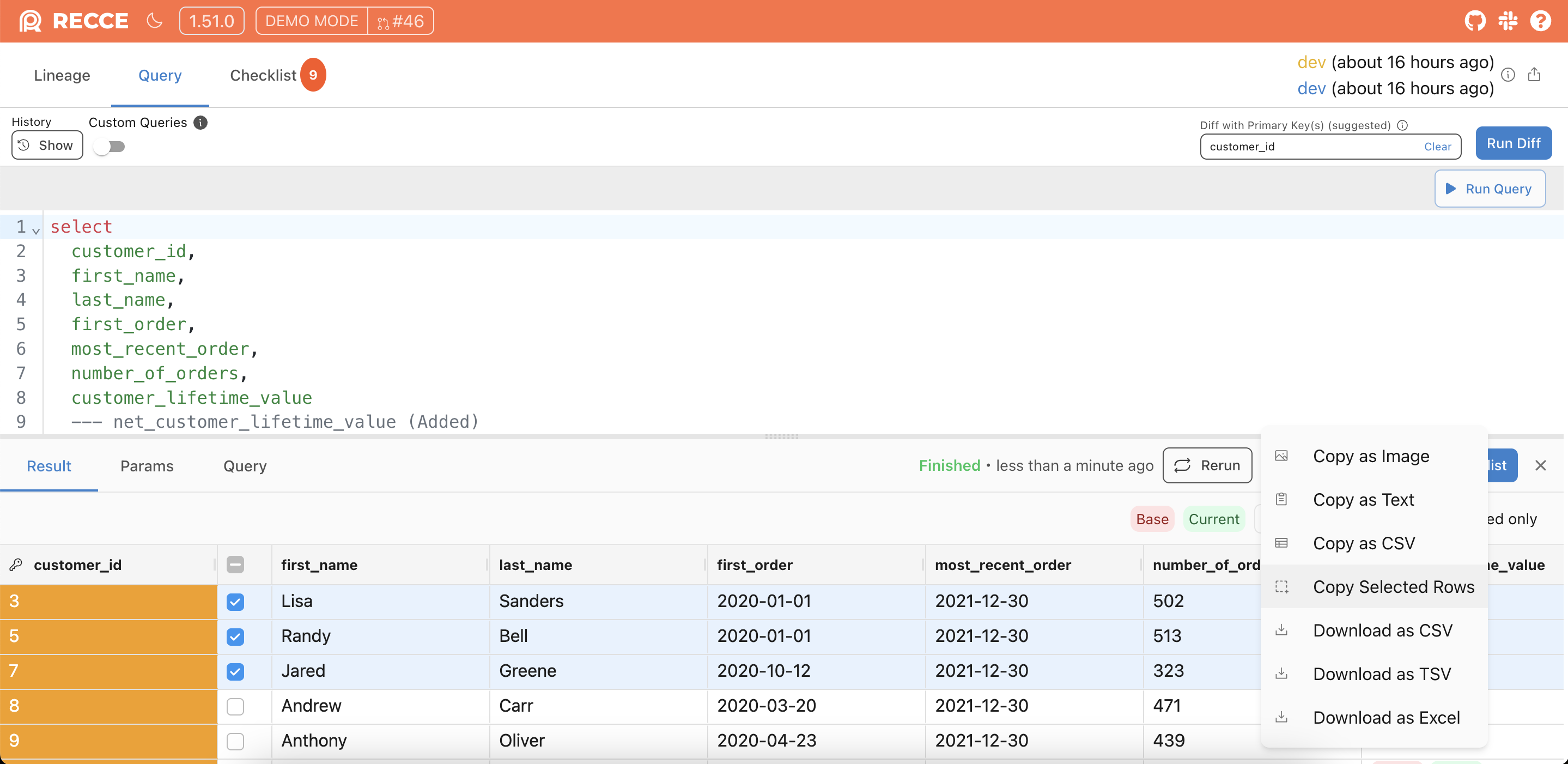
Reading a value out of SQL query results used to mean a detour: Share, then Copy as TXT, then paste into the editor, then copy the value you actually wanted. Pulling multiple rows into a spreadsheet meant copying them one value at a time.
Now you can highlight the text inside any cell and copy it with Cmd/Ctrl+C, and this works across every results grid in Recce. On the SQL query results grids, new row checkboxes let you select the rows you want. Share → Copy Selected Rows then copies them as tab-separated text that pastes cleanly into a spreadsheet.
Impact coloring now shows in the lineage minimap
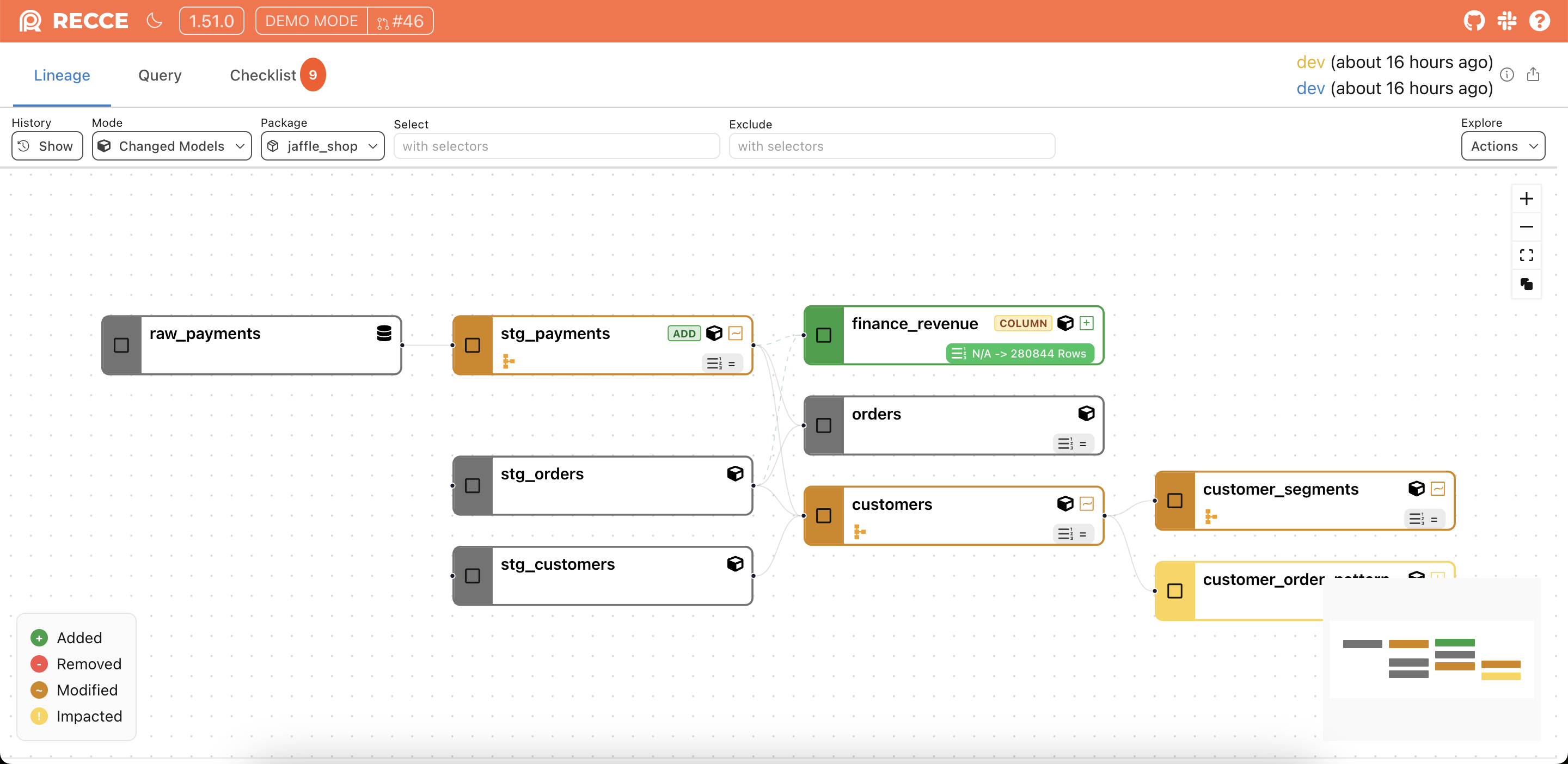
In the new column-level lineage experience, the minimap colored nodes by change status alone. Impacted-but-unchanged nodes showed amber on the main canvas but neutral grey in the minimap, so the overview map and the canvas disagreed about what your change touched.
The minimap now reads the same impact data the canvas does and runs both through one shared color helper, so the two can’t drift. Impacted nodes render amber in the minimap, matching the main graph and the legend.