Whole-Model Impact in CLL with data-native change labels, analyze_model MCP
Read the Lineage in Data Terms: Whole-Model Impact + Data-Native Change Labels
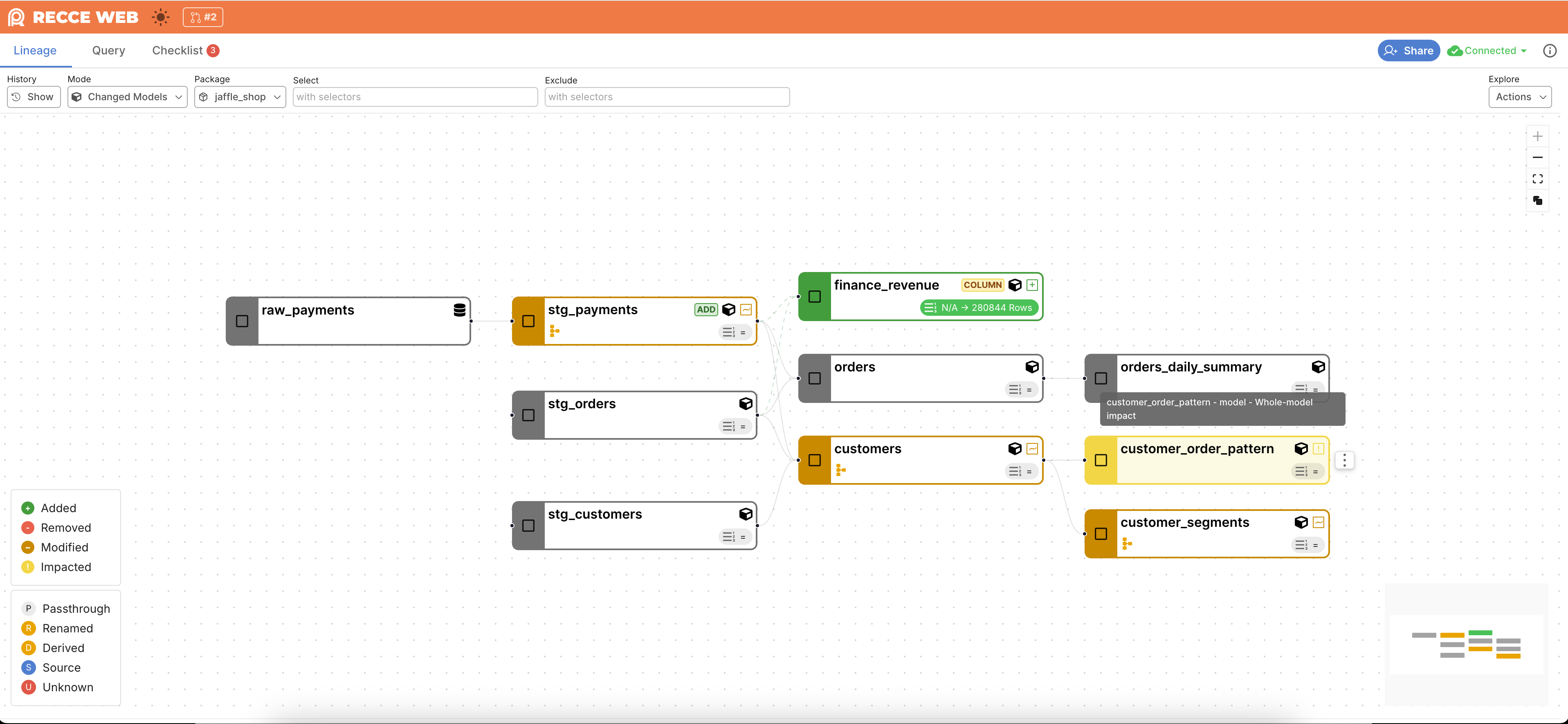
Edit a WHERE, GROUP BY, or JOIN upstream and the change touches every row of that model. Lineage marked the upstream as changed but left you guessing which downstream models picked up the new shape — and hover redrew icons on you while you tried to read it. A reviewer reading the diff also had to translate Breaking, Partial Breaking, Non Breaking from software API contracts into what each meant for the data.
Recce now marks the change at the source and flags every impacted model downstream. The sidebar names the upstream model that caused it, so you can trace the blast radius without leaving the view. The lineage redesign that ships alongside keeps the descriptor and change-status icons visible on hover. The kebab floats to the side of the card. Node-name tooltips now include materialization (stg_customers - view). The NodeView sidebar tightens so row count and schema-diff actions sit above the fold. Opt in with --whole-model-impact (off by default).
The change labels themselves now read in data terms. Breaking becomes Model-Wide Change — a table change that affects every column, like a WHERE clause edit. Partial Breaking becomes Column Change — a column-definition change scoped to that column. The new Additive Change label covers column additions that don’t touch existing rows. Unknown stays Unknown. Backend wire enums keep the legacy strings for one release window. UI prose moves now, so seeing a label means knowing what it means for the data.
Give Your Code Agent Structural Evidence Before It Opens a PR
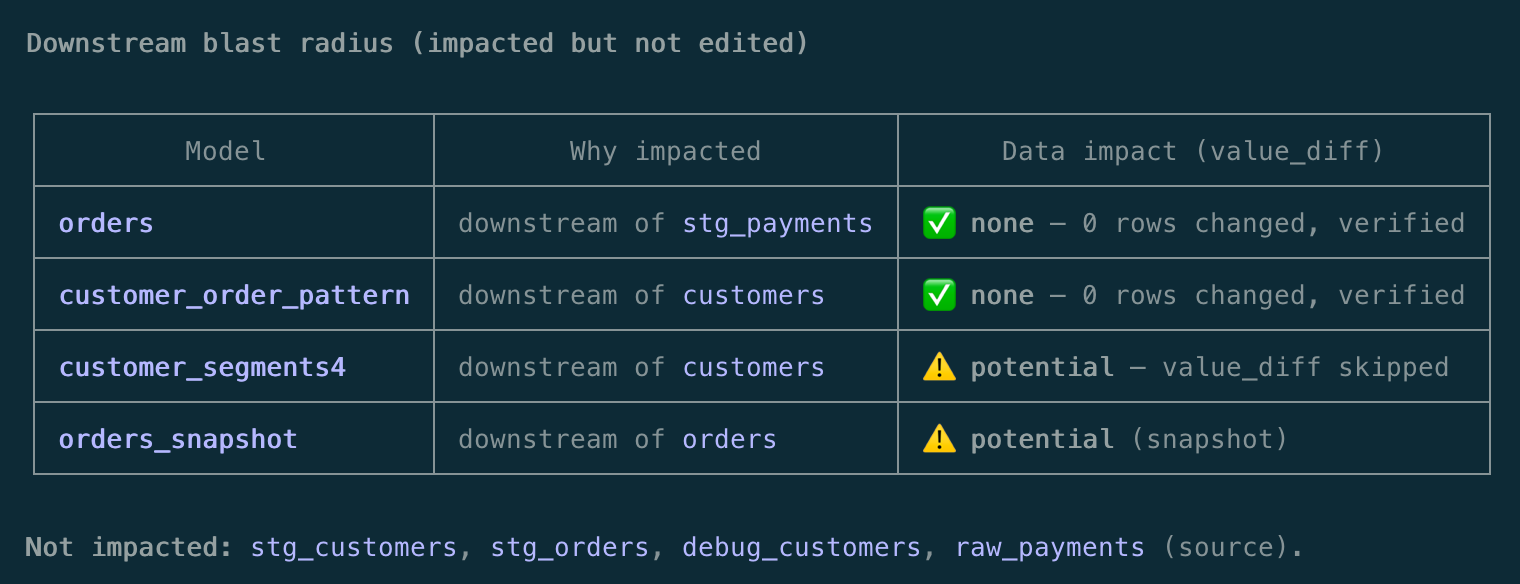
A code agent editing a dbt model has the raw SQL but cannot cheaply tell what the model does. Which columns does it project, what does it aggregate, which models depend on it column-for-column? The agent ends up guessing whether its edit is safe to PR.
The new analyze_model MCP tool parses the compiled SQL via sqlglot and returns the model’s structure — refs, projections, filters, joins, group_by, aggregations, case expressions, distinct/subquery/CTE flags. It also returns the downstream column impact from the existing CLL parent/child map. It runs against a single environment with no target-base/ and no git history.
See When Your PR Baseline Has Drifted on Recce Cloud
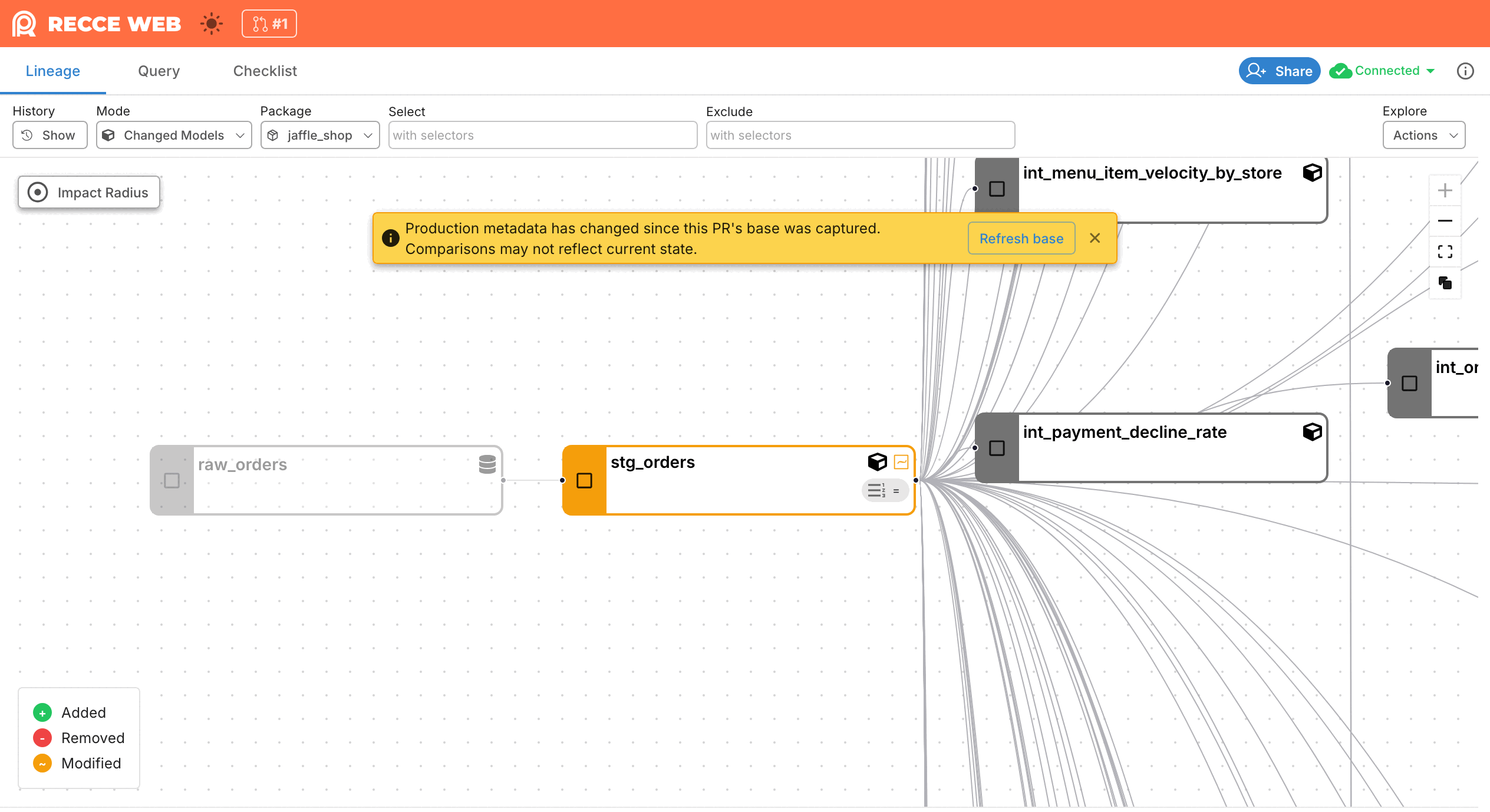
A Recce Cloud session captures a snapshot of the shared production base at upload. The PR diff stays clean even when main keeps merging. The banner that announces metadata drift had landed in OSS but never mounted in the cloud-mode shell. Cloud users at cloud.reccehq.com/launch/<sessionId> diffed against a stale snapshot without knowing.
Recce now mounts the Staleness banner in the cloud-mode layout. It renders as a yellow overlay card with an enabled “Refresh base” button, verified against the prod session that surfaced the gap. Dismissing the card stores the staleness signature so a quiet session stays quiet. Fresh drift after dismissal re-fires the alert. Read the Staleness banner reference for when to refresh versus dismiss.
Security update
Recce v1.50.0 includes a security fix based on a responsibly disclosed report. Thank you to Sitampan (@hxcbtc) for reporting the issue and helping improve Recce’s security. Please update to the latest version: pip install --upgrade recce. No configuration change is required after upgrading.