Sign in Start with your repo

What's New in Recce

Product updates, new features, and improvements.

5-Second Review Access, Check Comments, Redshift Support

Instant Review Access

Reviewers can now start reviewing in just 5 seconds, down from 2 minutes. Recce Cloud loads a preview mode that gives immediate access to checklist results and validation status. When full query capabilities are ready, the session updates automatically with no action required.
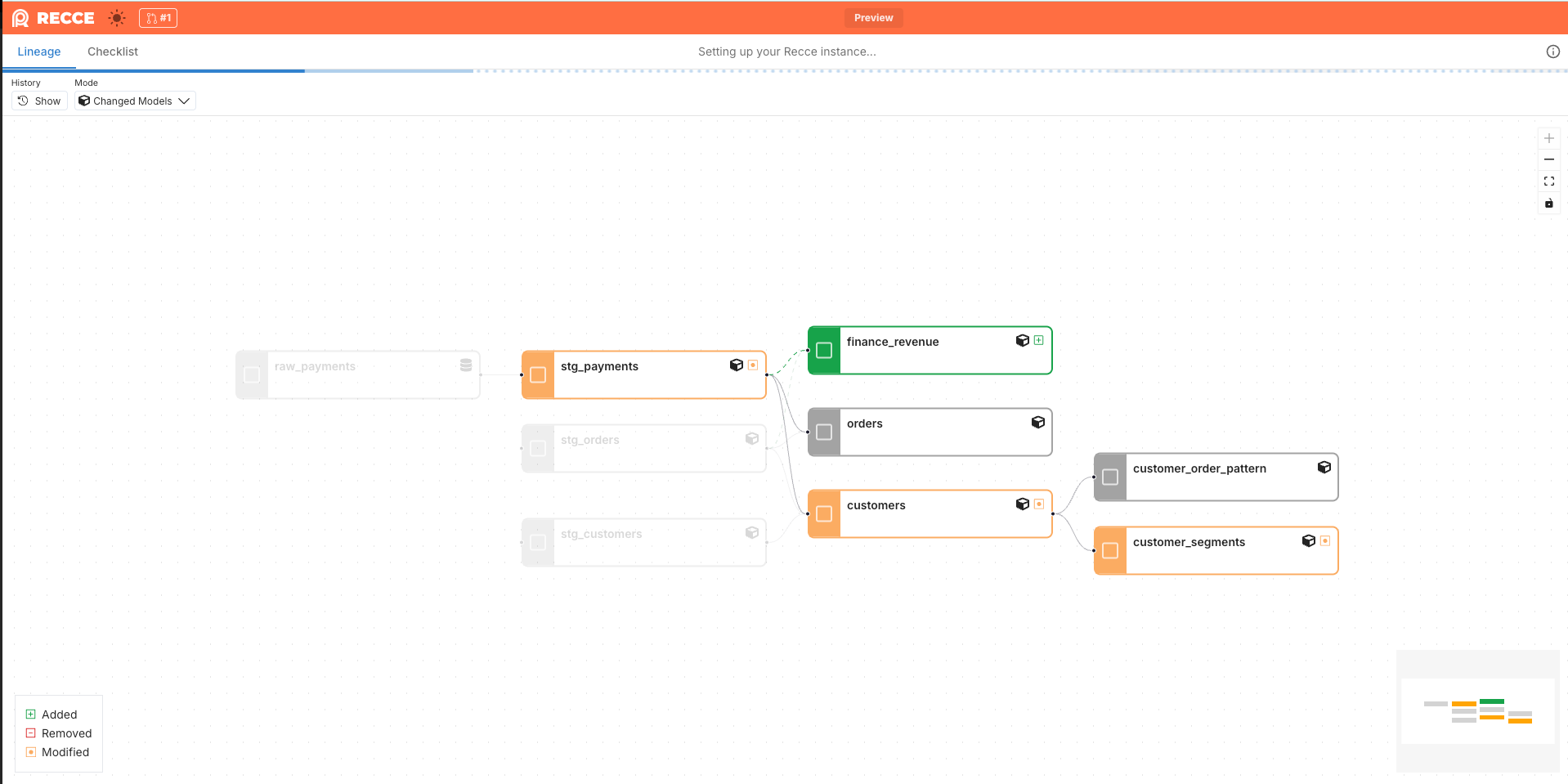
Instant Review Access

Frictionless Stakeholder Access

Bring domain experts into your data validation process without Git complexity. Finance, Compliance, and other stakeholders can now review and collaborate with only a Recce Cloud account, no GitHub or GitLab account required.

Check Activity & Comments

Every check now includes a full activity timeline showing creation, comments, approvals, and rejections. Replace scattered discussions in Slack, email, or screenshots with in-context conversations that persist across sessions.

  • Threaded comments: Discuss specific validations directly on each check
  • Transparent approvals: See exactly who approved or rejected each check
  • Clear audit trail: Track the full history of every validation decision
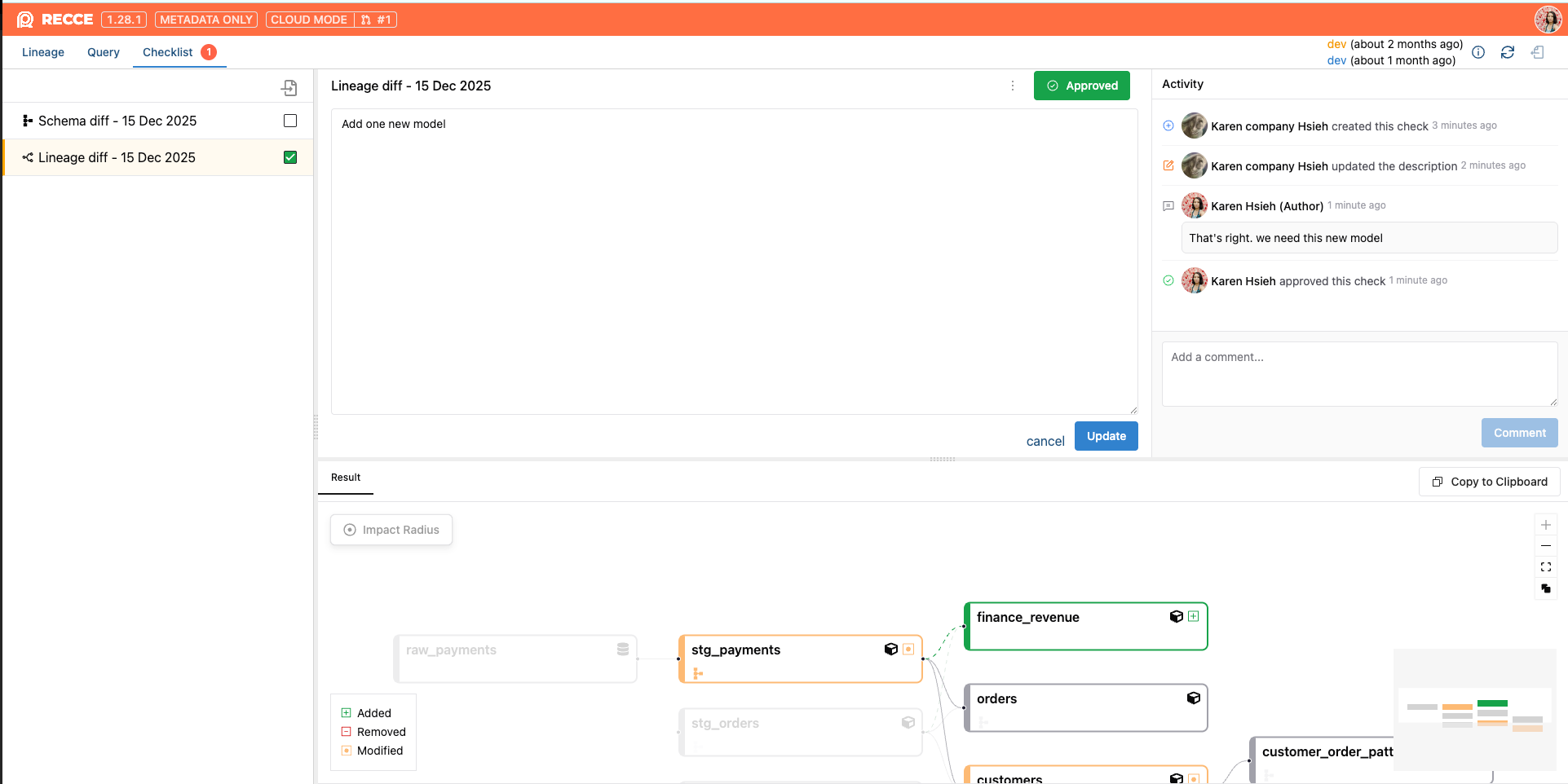
Check Activity & Comments

Redshift Support

Recce Cloud now fully supports Redshift. Connect your warehouse with no special configuration required.
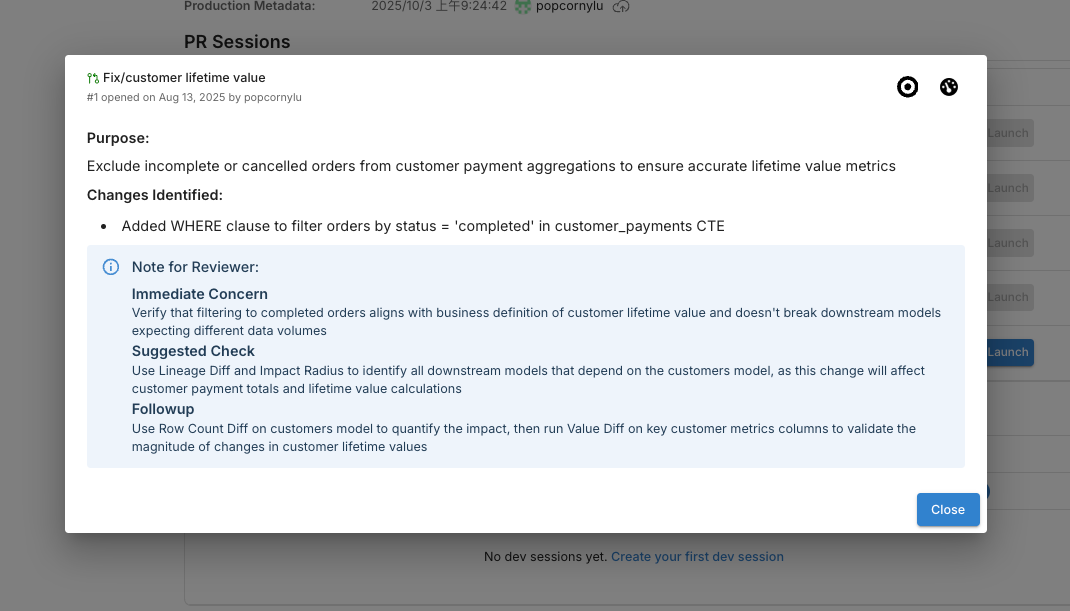

MCP Server, Column-Level Value Diff, BigQuery Support

Recce MCP Server

Recce now supports the Model Context Protocol (MCP), enabling integration with AI assistants and tools. Connect Recce to your AI workflows for enhanced data validation capabilities.

Learn more: MCP Server Documentation

Column-Level Value Diff

Value Diff is now available at the column level directly from the column menu. Previously you could only run Value Diff at the model level, now you can drill down to specific columns for more targeted validation.

Preset Checks in the UI

Define preset checks directly in the checklist. Add preset checks with a few clicks, making it faster to standardize validation across your team.

BigQuery Support

Recce Cloud now fully supports BigQuery. If your team runs dbt on BigQuery, you can connect your warehouse to Recce Cloud with no special configuration required.

recce-cloud CLI Command

Cloud users can now interact with Recce Cloud directly from the command line. Upload sessions and launch Recce Cloud instances without leaving your terminal.

Faster Instance Spin-Up

We’ve reduced Recce Cloud instance launch time by another 20 seconds, continuing our work to get you into your validation workflow faster.

Frontend Infrastructure Upgrade

Switched to Biome for linting, improving code consistency and development experience.

Bug Fixes

  • Fixed react-data-grid visualization issues
  • General stability improvements

Faster Spin-Up, Simpler CI/CD, Smoother Onboarding

Simplified CI/CD Integration

We heard your feedback and made CI/CD setup dramatically easier. What used to require extensive configuration now takes just 2 lines of code. Connect your environments faster and spend less time on setup.

Learn more at CI/CD integration doc.

Faster Instance Spin-Up

We’ve shaved 15 seconds off Recce Cloud instance spin-up time, so you get into your validation workflow a bit faster.

Idle Timeout & Extended Lifetime

Cloud instances now stay active longer, so you’ll run into fewer timeout issues during your validation sessions.

Smoother Team Onboarding

When you accept an invitation to join an organization, that org is now set as your default automatically. Invited team members can jump straight into work without additional setup steps.

Full GitLab Support, Email Sign-Up, HIPAA Compliance

Full GitLab Support

GitLab users now have complete access to Recce Cloud with full feature parity to GitHub:

  • AI-powered MR summaries: Generate summaries and post them directly to your Merge Requests
  • MR list and status: See all your Merge Requests and their validation status at a glance
  • CI/CD integration: Integrate Recce into your GitLab pipelines

If your team uses GitLab, you now have a first-class Recce experience.

Sign Up with Email

You can now create a Recce Cloud account using email and password. Previously, sign-up required a GitHub account which blocked users and teams who don’t use GitHub. Now GitLab users and others can get started without needing a GitHub account.

HIPAA Compliance

Recce Cloud is now HIPAA compliant. Healthcare organizations and teams working with protected health information can now use Recce Cloud with confidence. No action required for existing users. See https://trust.reccehq.com/

Snowflake Key-Pair Authentication

Added support for Snowflake key-pair authentication, giving you more options in how you connect your Snowflake warehouse to Recce Cloud.

AI PR Summaries to GitHub, Databricks Support, dbt 1.10

LLM-Powered PR Summary (Recce Cloud)

Get an AI-generated summary of your PR before diving into the details. With one click, Recce analyzes your code changes and commits to give you:

  • A clear overview of what changed
  • Suggestions on where to focus your review

Post the summary directly to GitHub as a PR comment, meeting reviewers where they already work. Team members can see the summary right in the PR, even if they haven’t opened Recce Cloud yet.

No setup required. Just click “Summarize” and share.

AI assistant summary

Databricks Support

Recce now fully supports Databricks as a data warehouse. If your team runs dbt on Databricks, you can now use Recce for data validation with zero special configuration, it just works like any other warehouse setup.

Refreshed Project Home Page (Recce Cloud)

We’ve updated the project home page for a cleaner, more intuitive experience when navigating your projects.

dbt 1.10 Compatibility

Recce now supports dbt 1.10, so you can stay current with the latest dbt releases.

Bug Fixes

  • Fixed DuckDB installation failure in Recce instance launcher
  • Resolved GitHub app connection and repository binding issues

Two-Line CI/CD Setup

Recce Cloud: Simplified CI/CD Documentation

Two simple lines using our GitHub action to automate metadata updates. Remove the complex orchestration scripts with download artifacts, configure and manage state files..etc.

Learn more:

Enhanced Onboarding Experience

Clearer guidance during setup helps you understand what each step does and why it matters, making it easier to get started with Recce Cloud.

Automatic GitHub Integration and AI-Powered PR Summaries

Automatic GitHub Integration

Connect your GitHub repositories to automatically track all pull requests and listen for GitHub events. No more manual PR management, Recce Cloud now maps directly to your company’s development workflow.

AI-Powered PR Summary

Get instant insights into your PR changes with our new AI Summarization feature.

Instead of manually reading through code and data changes to understand what a PR does, simply click “Summarize” to get a high-level overview of key changes, impact scope, risk level, and critical validations. (Available after configuring GitHub integration)

Restructured Docs, Simplified Pricing, Dark Mode

Unified Documentation Experience

No more confusion about where to find what you need! We’ve completely restructured our documentation to follow your actual workflow, whether you’re using Recce OSS or exploring Cloud features.

The new documentation guides you seamlessly from “What’s Recce” → “Get Started” → “Visualize Changes” → “Downstream Impacts” …. all the way to → “Technical Concepts.”

Get started: Visit our refreshed docs at https://docs.reccehq.com/

Simplified Pricing Structure

We’ve rebuilt our pricing around value, not limitations. Teams no longer need to worry about seat restrictions or complex upgrade paths. The new structure makes it clearer what you get at each tier and ensures you can scale your team without friction. See https://reccehq.com/pricing/

Dark Mode Interface

Recce Cloud now supports dark mode across the entire interface, giving you a more comfortable experience during extended data review sessions.

Regional Data Storage

Users can now change their preferred data storage region in organization settings. This addresses data sovereignty and compliance requirements, with EU and US regions available.

Direct Data Warehouse Connectivity

Configure your data warehouse for seamless data diffing

Recce Cloud supports direct data warehouse connectivity, bringing actual data diffing capabilities into your Recce workflow.

Secure by design: Recce Cloud is SOC 2 compliant, so you can confidently share warehouse credentials knowing they’re protected with enterprise-grade security standards.

Starting with Snowflake: Connect your Snowflake data warehouse today, with support for additional warehouses coming soon.

Zero-Setup Onboarding for Recce Cloud

Recce Cloud: Skip the Setup, Start Analyzing in Minutes

Just sign up https://cloud.reccehq.com —no setup needed. Instantly view lineage diff, schema diff, and column-level impact, start with a default org and project, and invite teammates right away.

Continuous Development Workflow

Once onboarded with your first project, simply upload latest dbt artifacts to update your current change and see:

  • Real-time change validation against your production baseline
  • Column-level downstream effects of ongoing changes