Recce v1.46.0
Trace a Model’s Direct Lineage Without Leaving the Detail Panel
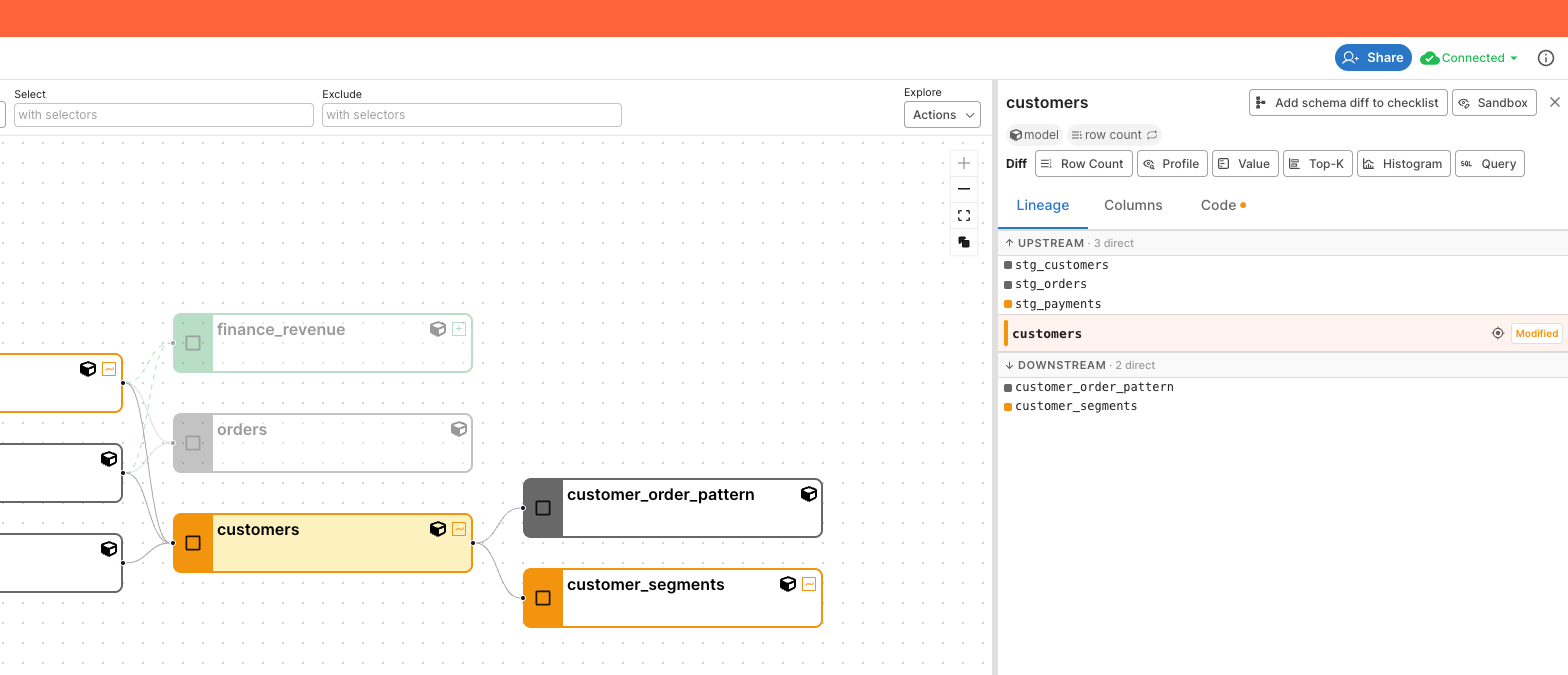
The Model Detail panel now opens straight onto a Lineage tab that shows the focused model’s direct upstream parents and direct downstream children. Each side has its own filter and pagination. Click a row to show its details in the panel without moving your map.
Before this release, getting from a node back to its immediate neighbors meant pinning the node and hunting around the lineage graph, which is awkward on dense projects where the canvas is already busy.
Faster Cloud Lineage on Large Projects
Lineage in Recce Cloud now loads from precomputed data, so the lineage view, the initial lineage load, and node selection are noticeably faster, especially on large projects.
Before this release, every lineage view recomputed on the fly against the live session, and lineage requests against sessions that had already been torn down could fail outright.
AI Summary in PR Comments Matches the Actual Checklist
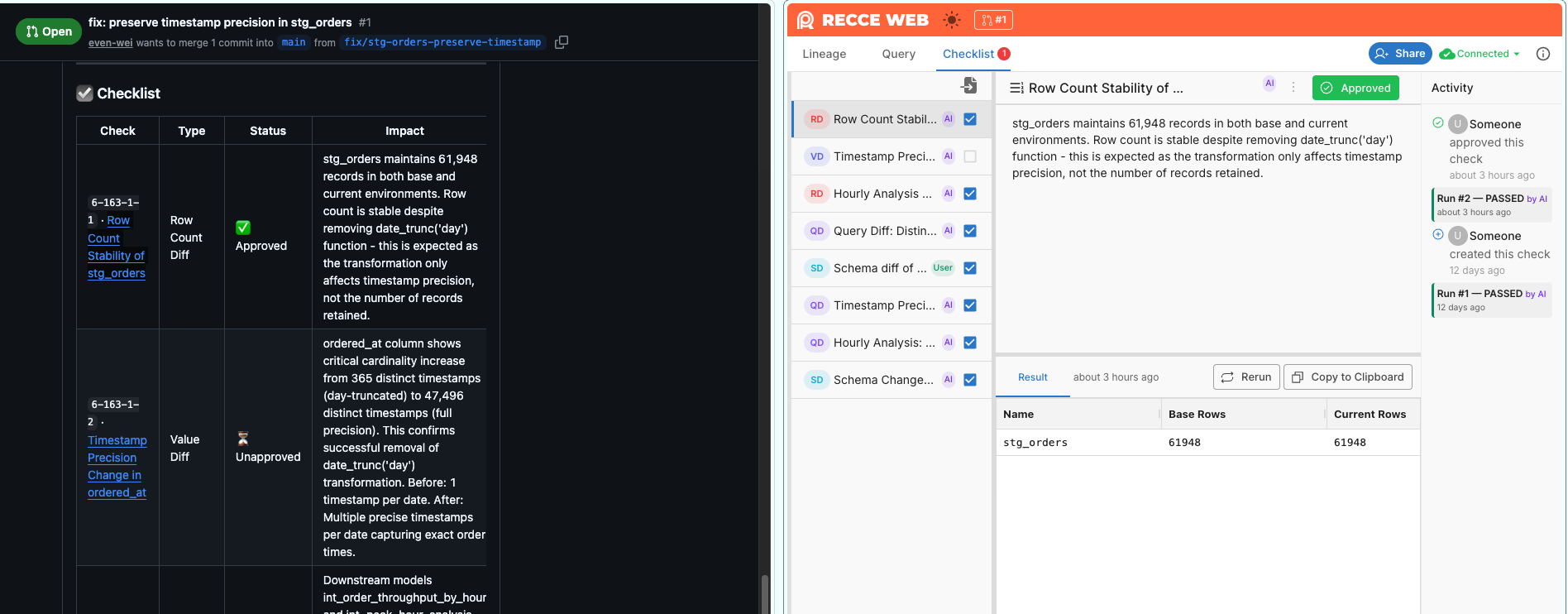
PR review comments produced by the Recce AI Summary now stay in sync with the actual run outcome. The Checklist reflects the real approval status of each check, the Impact column shows actual findings instead of static template text, and the narrative no longer contradicts the evidence.
Before this release, three things could drift in a PR comment: the Checklist showed ⏳ Unapproved for checks that had actually succeeded; the Impact column carried static template text instead of real findings; and the agent could write narrative that contradicted the evidence in the comment.
Bug fixes & polish
- Column-level lineage on case-sensitive warehouses, e.g. Snowflake, no longer returns empty results.